IBM Maximo Real Estate and Facilities · Maintenance · A guide for Maximo people
Maintenance in Maximo Real Estate and Facilities: one cold room, three people, and the plan behind the routine work
If you come from Maximo Manage, maintenance in Maximo Real Estate and Facilities (MREF, the former TRIRIGA) will feel familiar and slightly renamed. A work order is a work task. A PM is a job plan with PM schedules. A job plan's task list is a procedure. This guide follows one real fault from the employee who reports it, through the supervisor who assigns it, to the technician who fixes it. Then it opens the planned side: the job plan that generates the routine work. Every screen is from that person's own sign-in.
- The maintenance objects and how they chain: request, work task, job plan, PM schedule, procedure.
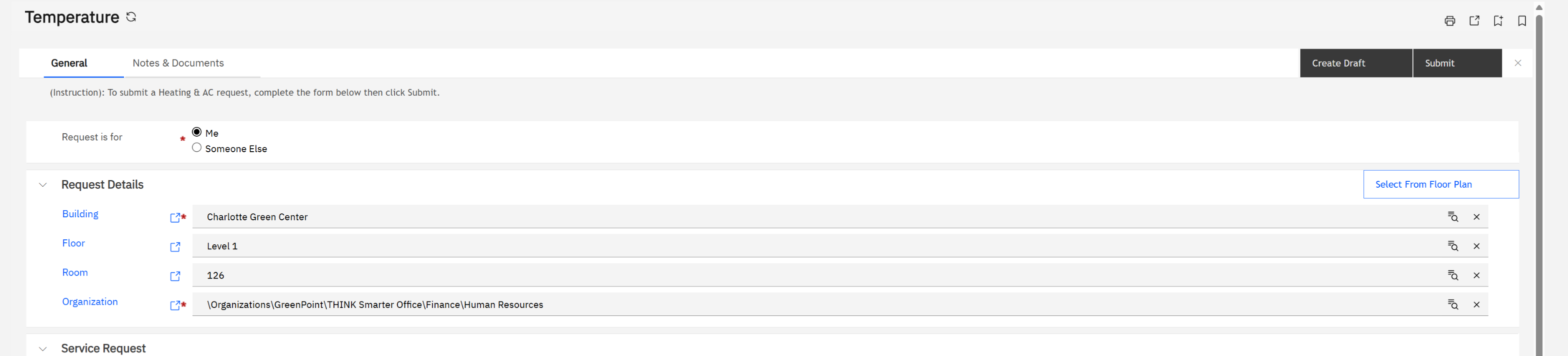
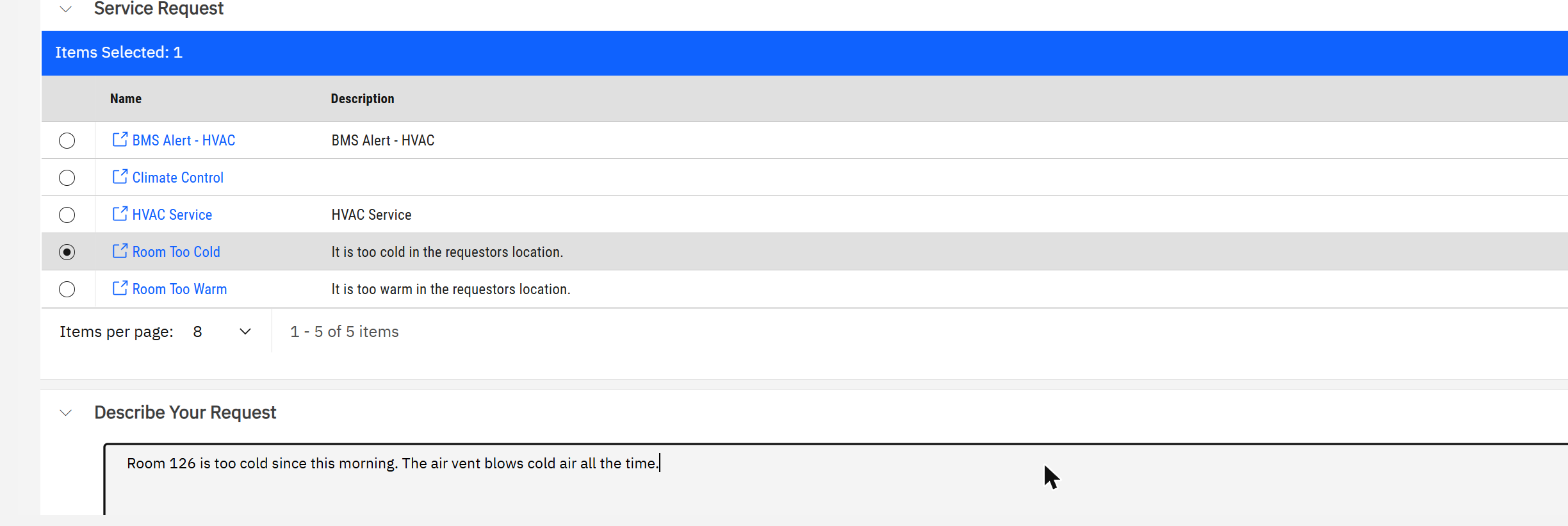
- Pat Problem, employee: reporting a cold room in four fields.
- Sam Supervisor: finding the new task in Work Planner and assigning it by capacity.
- Ben Working, technician: the Work Task app: timer, comment, complete.
- The planned side: a job plan for 12 air handling units, its schedules, its 168 tasks, and a procedure with costs.
- Four things that are different from Maximo.
Reading time: about 15 minutes. System: MREF on Maximo Application Suite 9.2, sample data.
| You know (Maximo Manage) | In MREF |
|---|---|
| Service request | Request, raised from Request Central |
| Work order | Work task |
| Work type PM / CM | Task type Preventive / Corrective |
| Preventive Maintenance (PM) record | Job plan with one or more PM schedules |
| PM frequency, meter-based PM | PM schedule of type Schedule-Based or Reading-Based |
| Job plan (tasks, labour, materials) | Procedure with procedure steps, materials, equipment, qualifications |
| Assignment Manager, Graphical Assignment | Work Planner |
| Maximo Mobile (Technician) | The Work Task app |
| Person group, crew | Workgroup, as responsible organisation and service provider |
1. The chain of objects
Work reaches a technician by two roads. Unplanned: somebody raises a request, and the request creates a corrective work task. Planned: a job plan's PM schedule generates preventive work tasks ahead of time. Either way the result is the same object, a work task. Sections 2 to 5 follow the first road with one real fault; sections 6 and 7 open the second.
2. Pat Problem reports a cold room
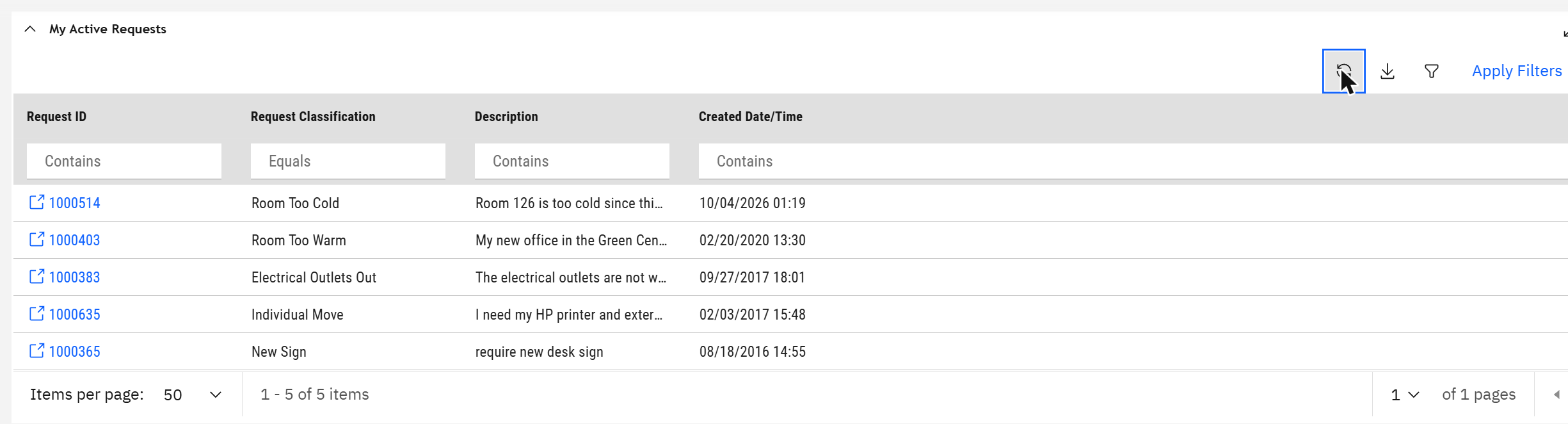
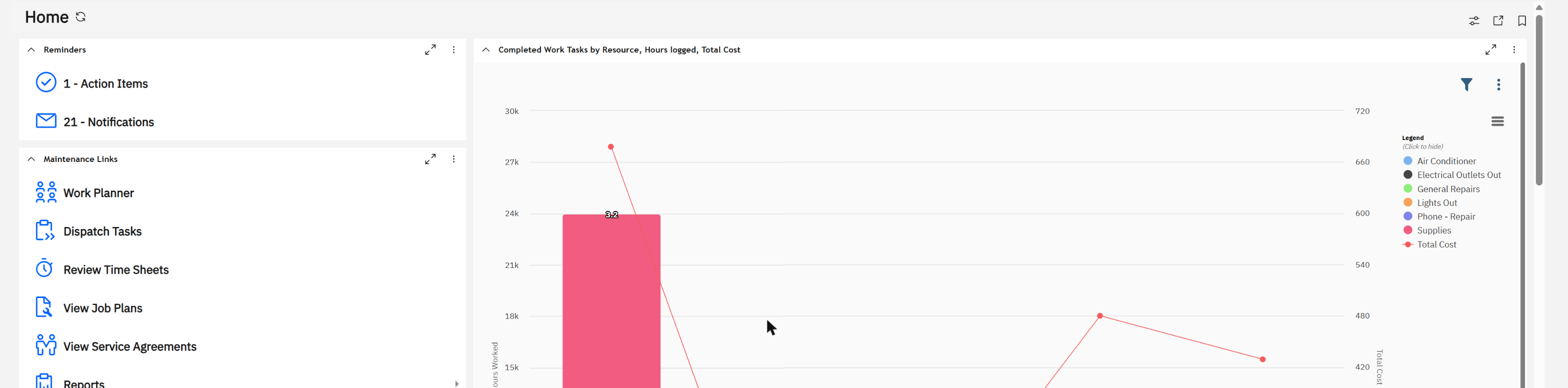
Pat is an ordinary employee. Her home page has no maintenance menu at all, only Request Central and the list of her own requests.
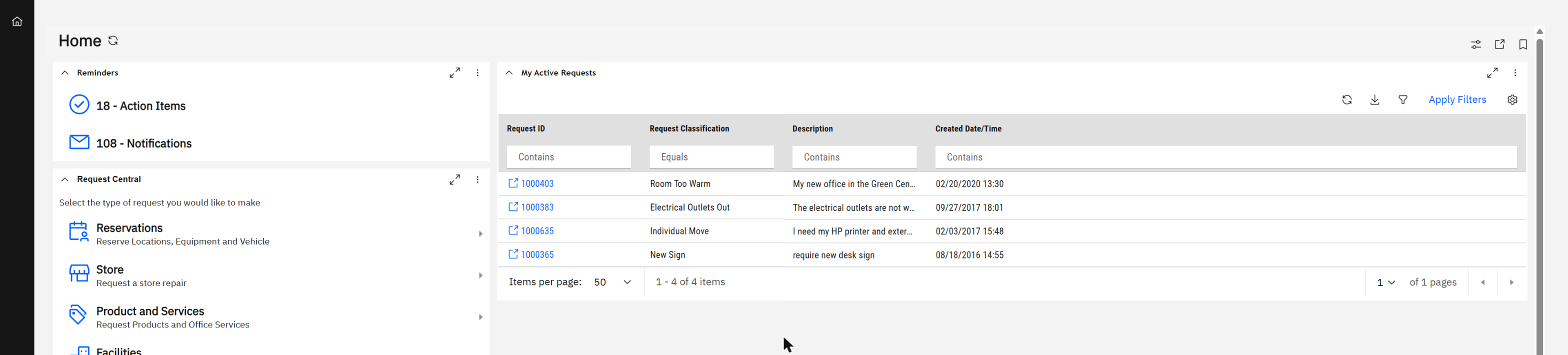
Under Facilities she picks the kind of problem.
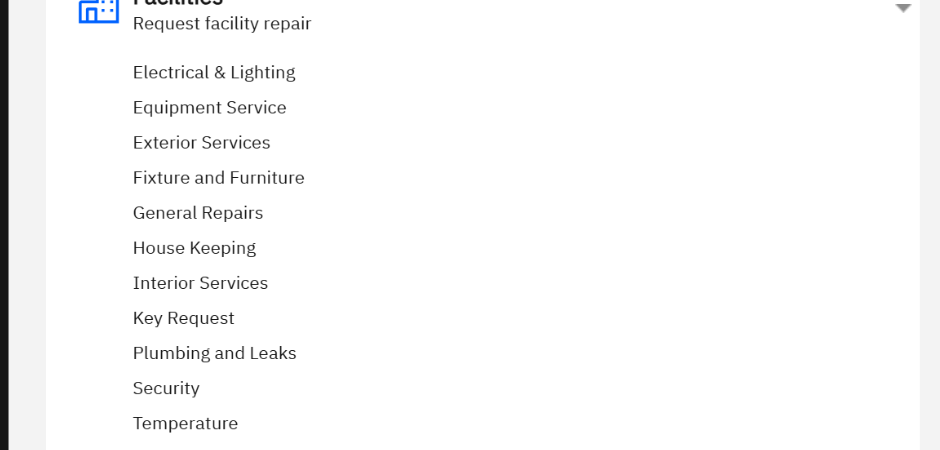
Temperature opens a short form. The building, floor, room and organisation are already filled in from her profile.
3. Sam Supervisor assigns it
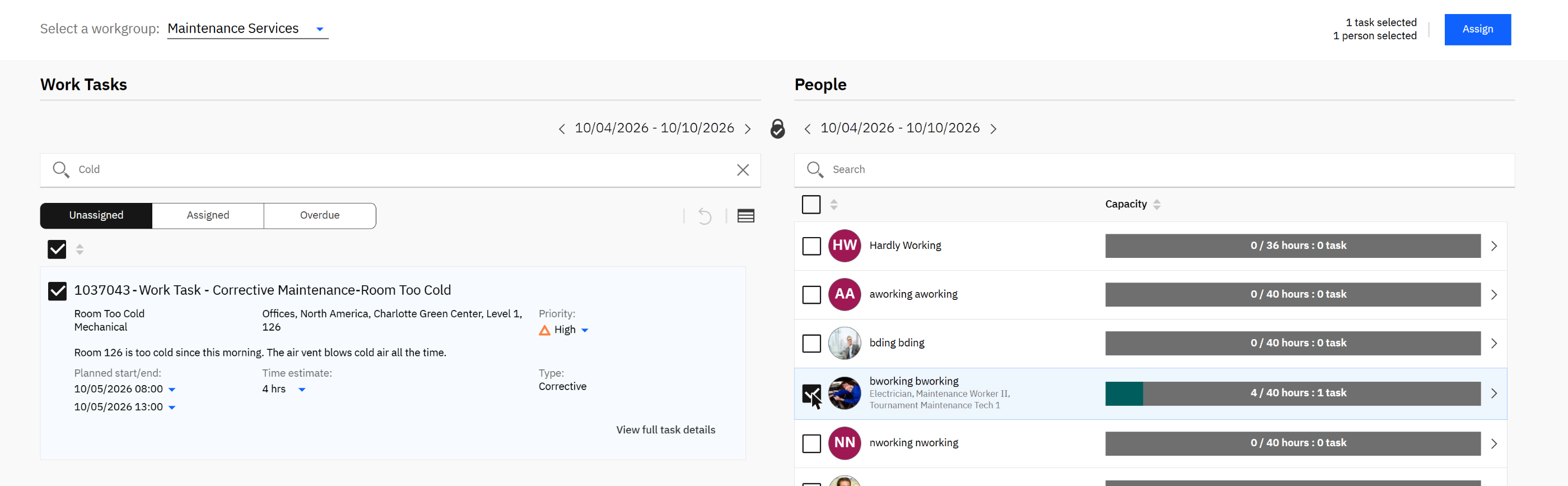
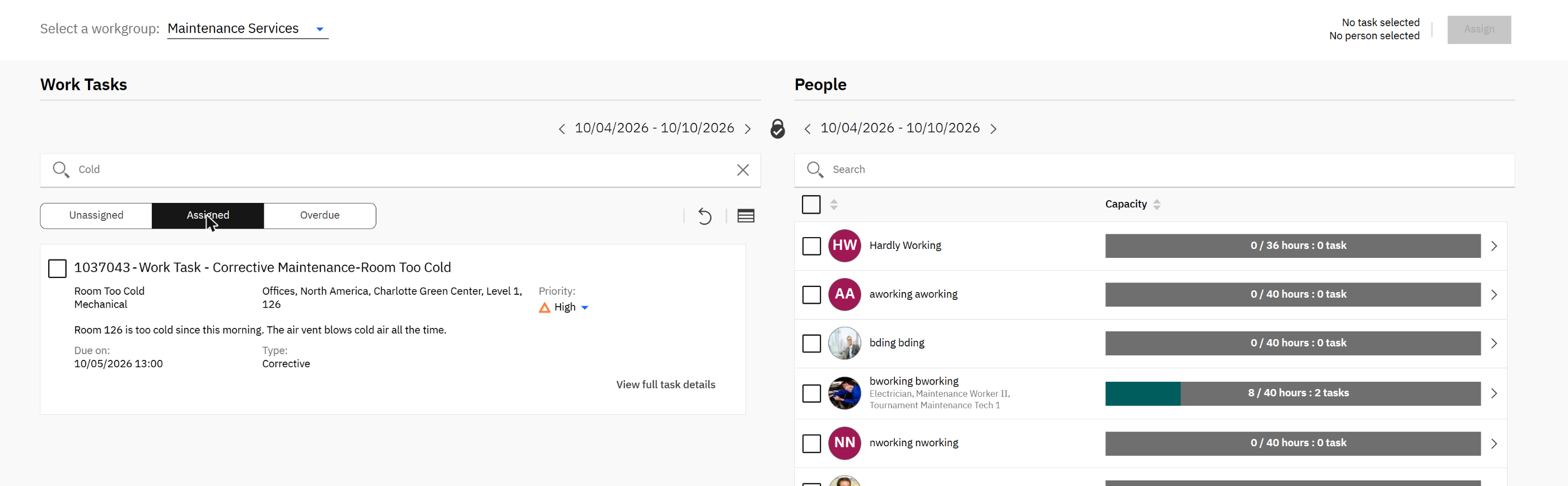
In Work Planner, under the workgroup Maintenance Services, a new card is waiting. Nobody created it by hand: it came from Pat's request, already marked Corrective, High priority, with her sentence and her room.
4. The work task behind the card
"View full task details" opens the complete record.
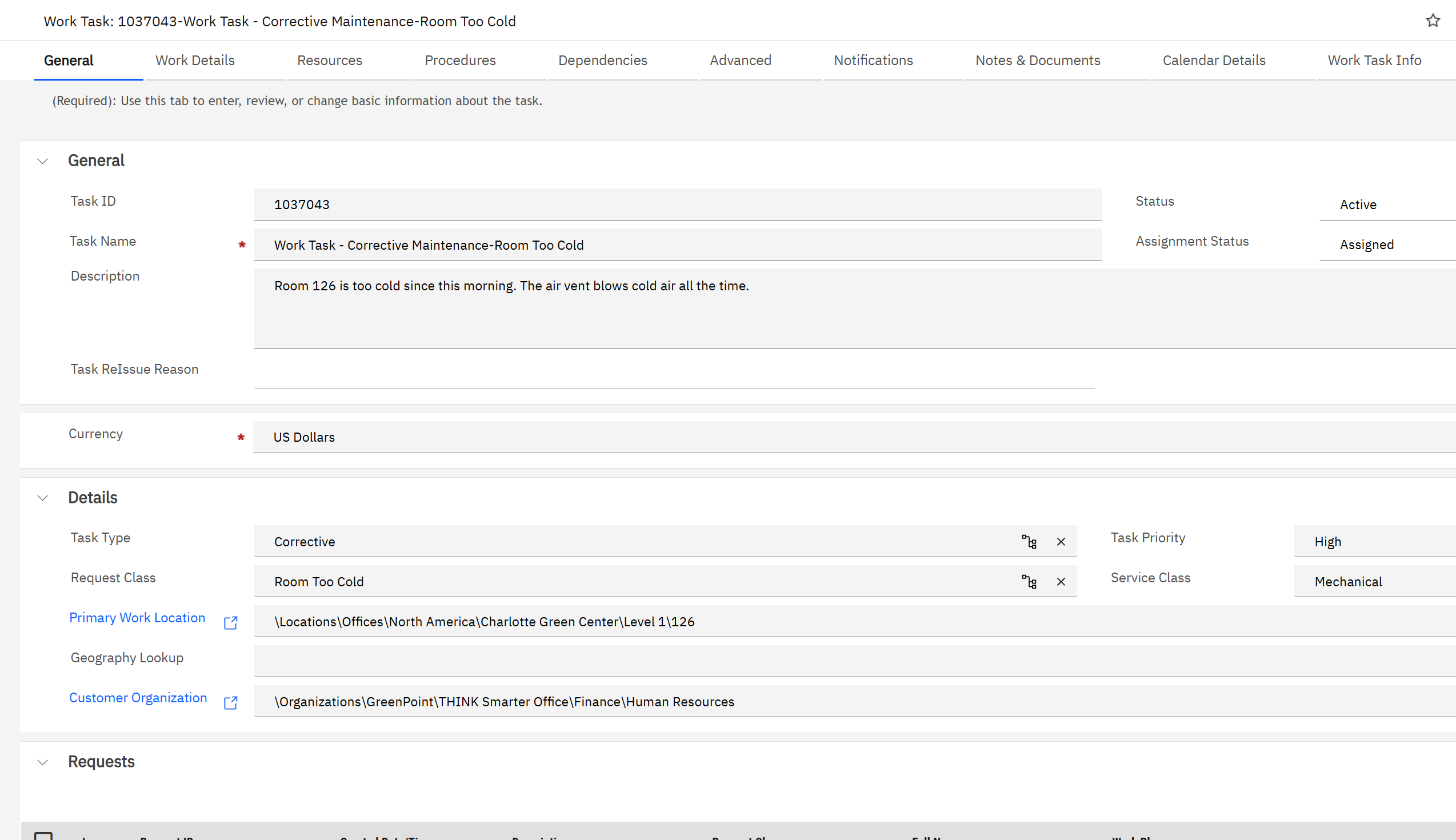
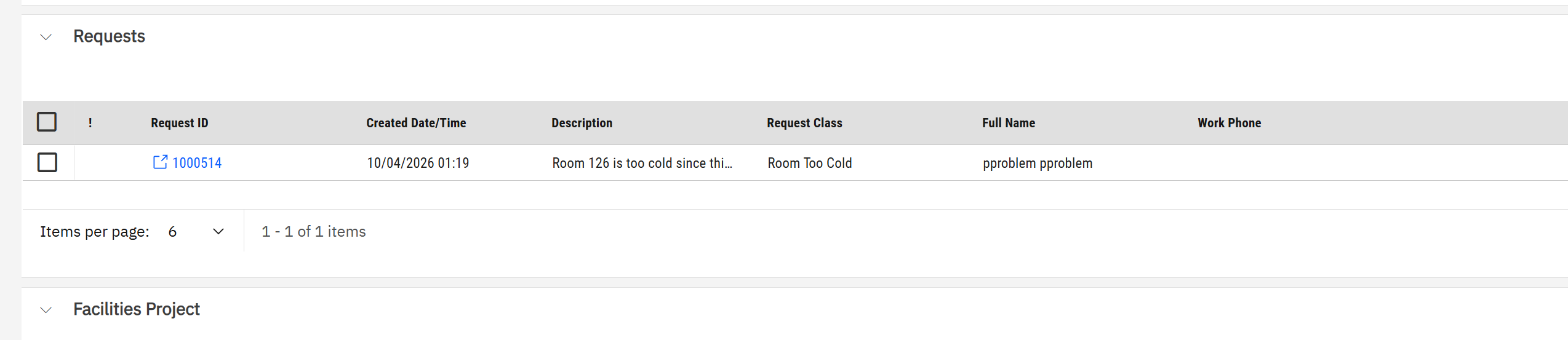
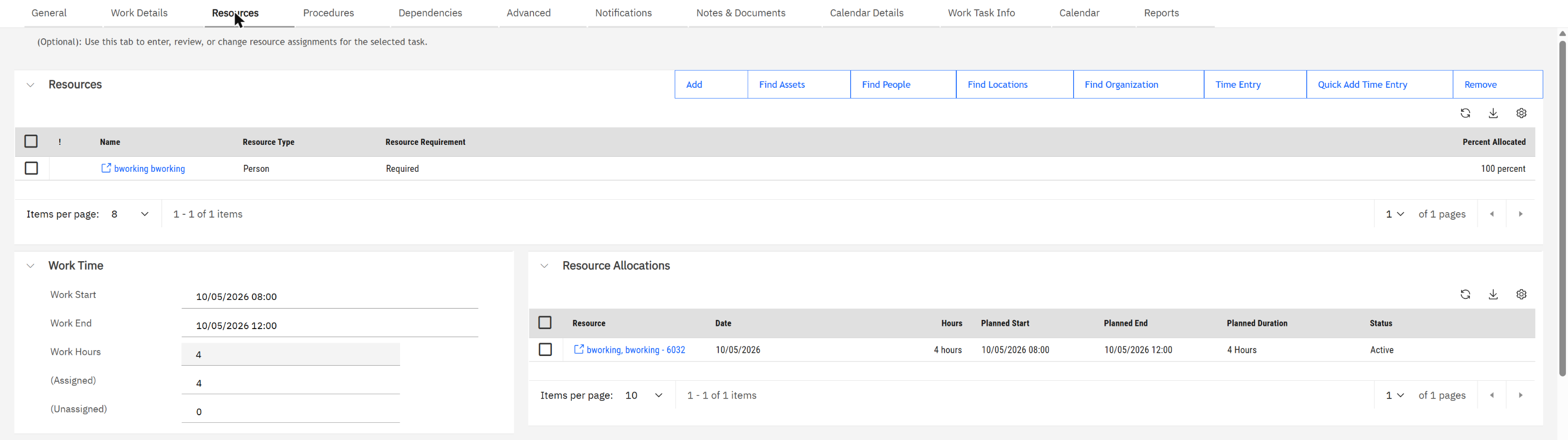
The planner and the form are two views of one record. Nothing is typed twice.
5. Ben Working fixes it
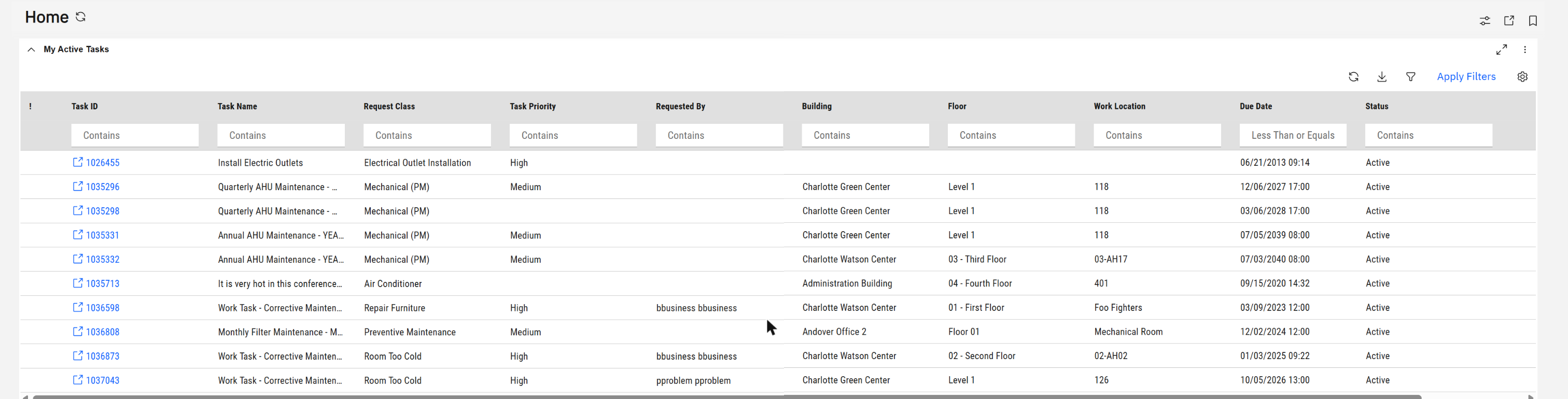
Ben's real tool is the Work Task app, built for a phone or tablet.
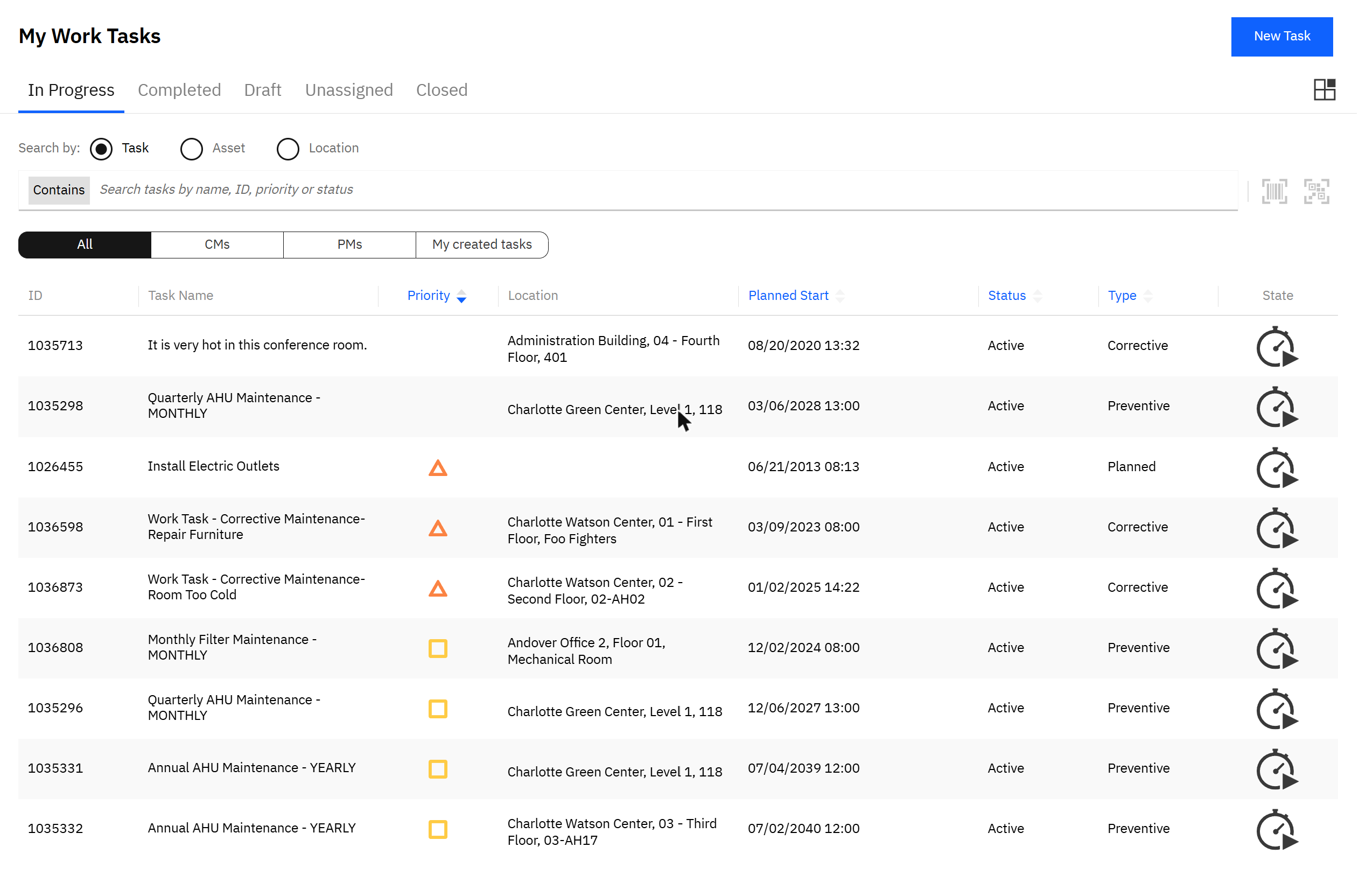

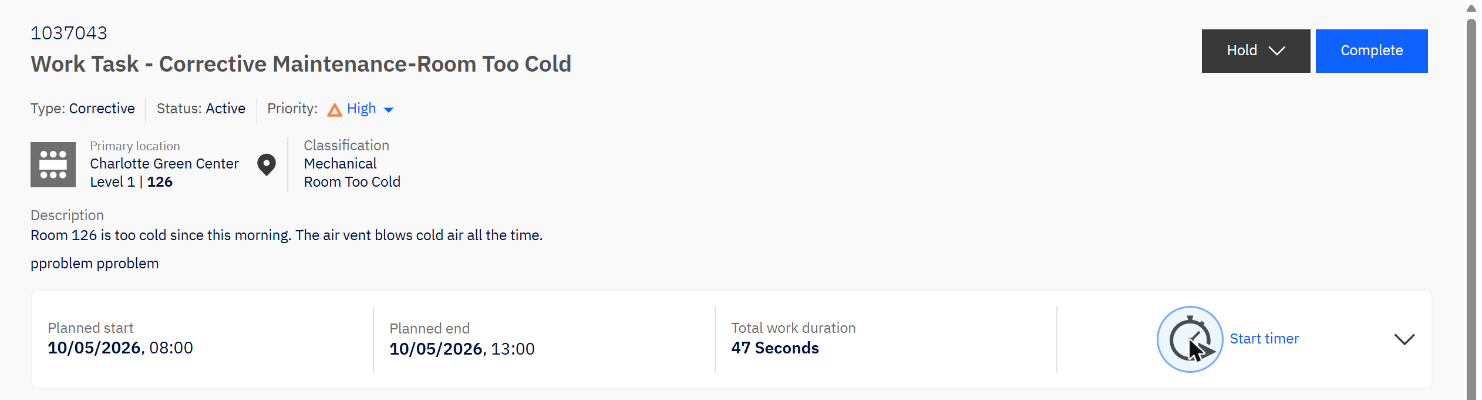
I then did the job as Ben, in four taps:
- Start timer. The button turns into Stop timer.
- Comment. Under Comments and Photos, a note on what was found.
- Stop timer. The duration is written to the task.
- Complete. The app asks for a resolution summary, then closes the work.

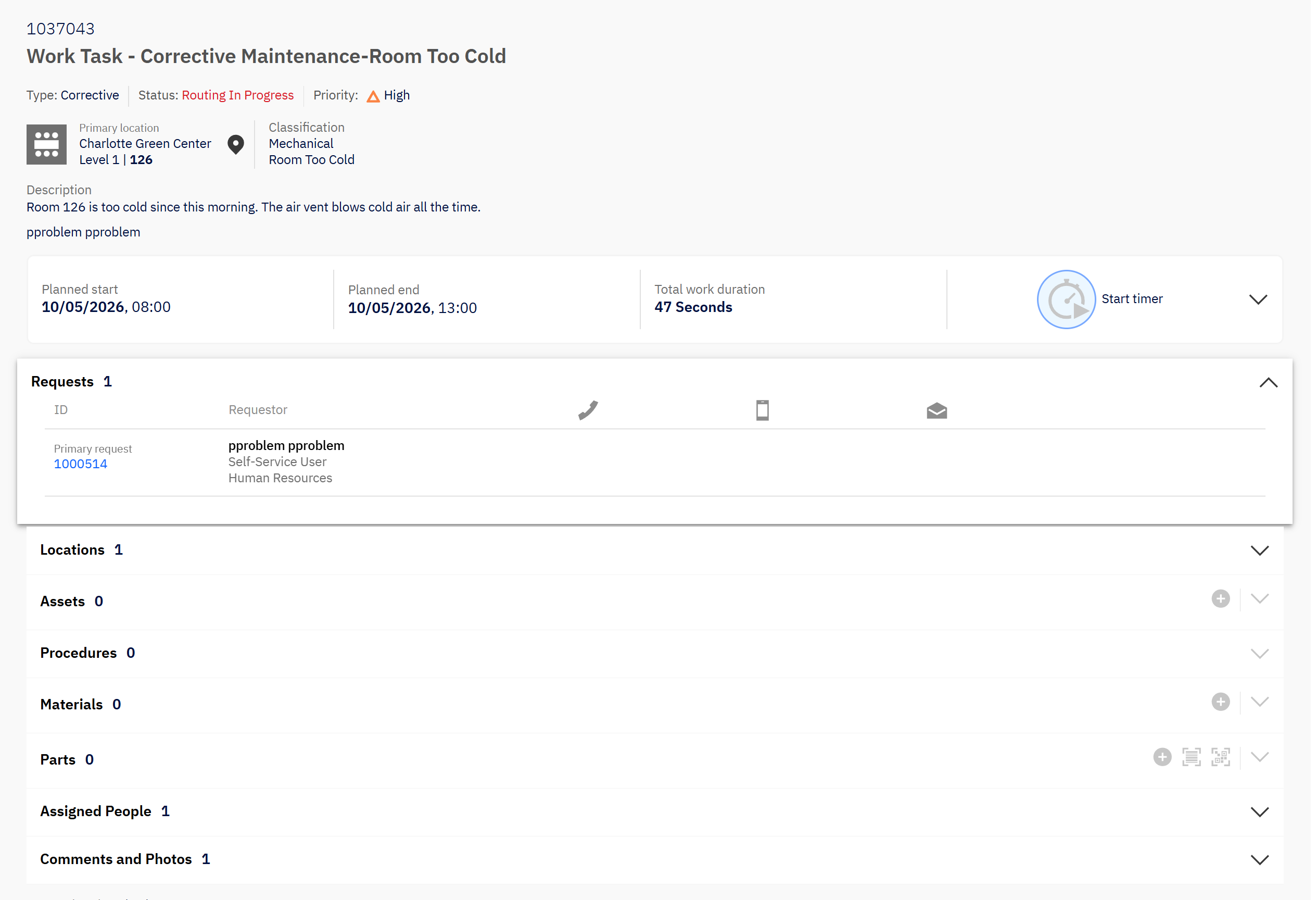
"Routing In Progress" means the task has left the technician and is moving through its completion workflow. I stopped there; I did not follow it to the closed state or check what Pat is told.
6. The planned side: a job plan
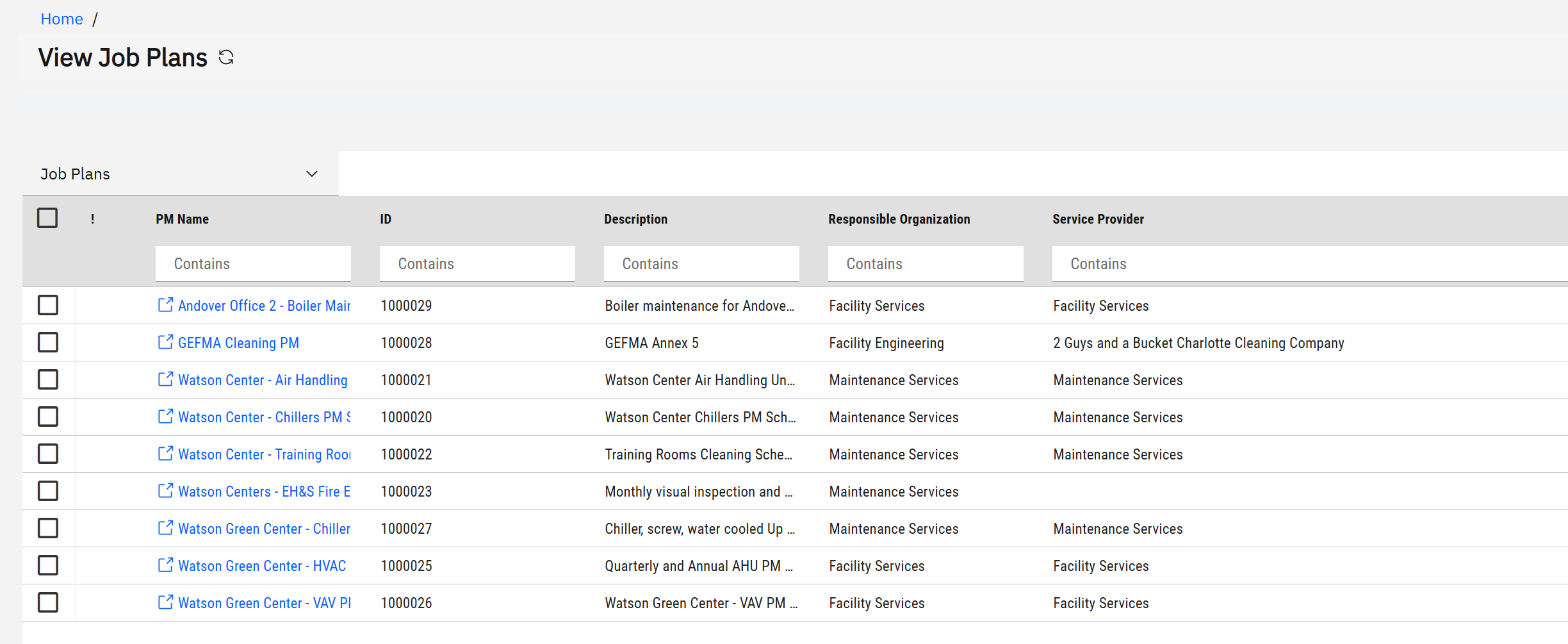
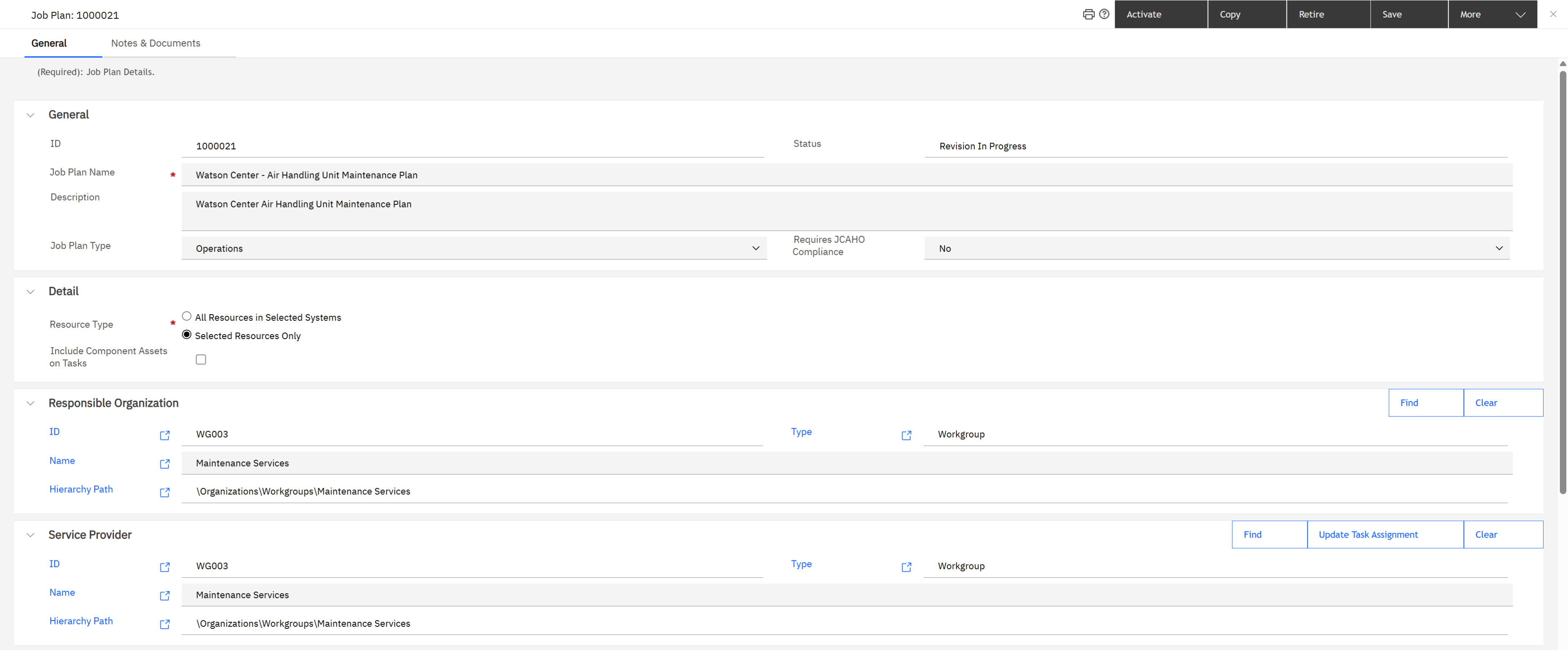
Most of a maintenance team's week is not faults. It is routine work that a job plan generates. Sam's View Job Plans lists nine.
| Tab | What it holds |
|---|---|
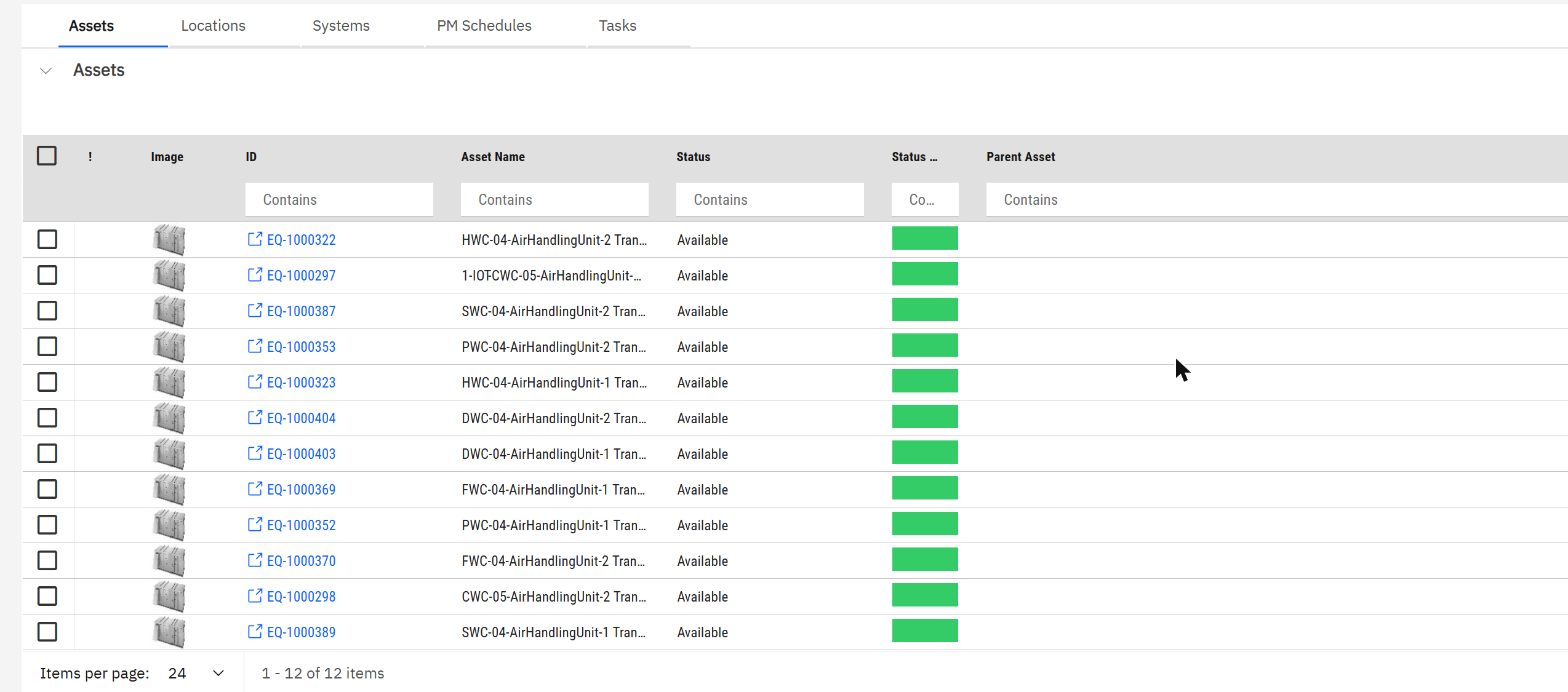
| Assets, Locations, Systems | What is maintained: single assets, whole locations, or building systems |
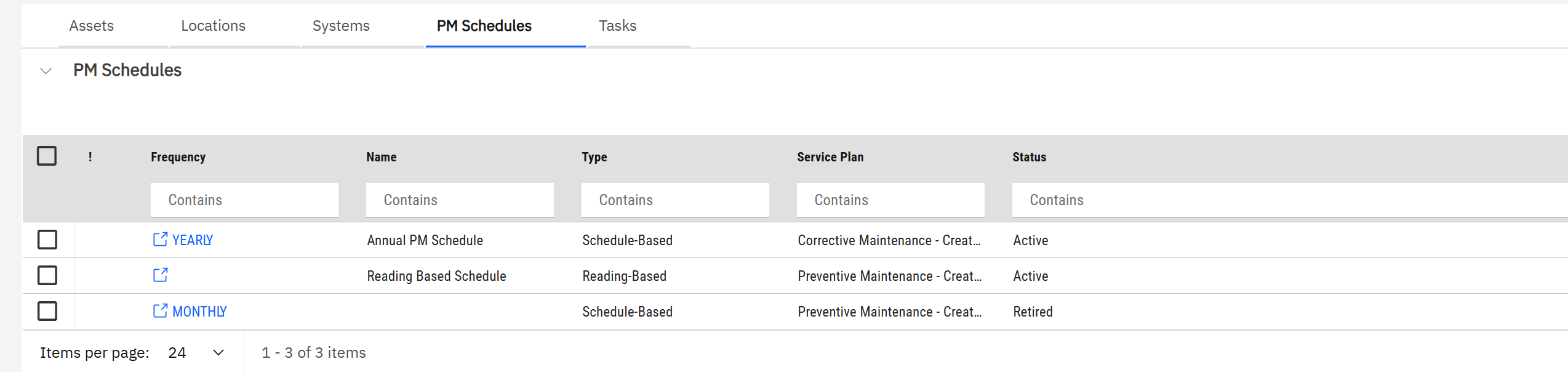
| PM Schedules | When: schedule-based (every month, every year) or reading-based (when a meter reaches a value) |
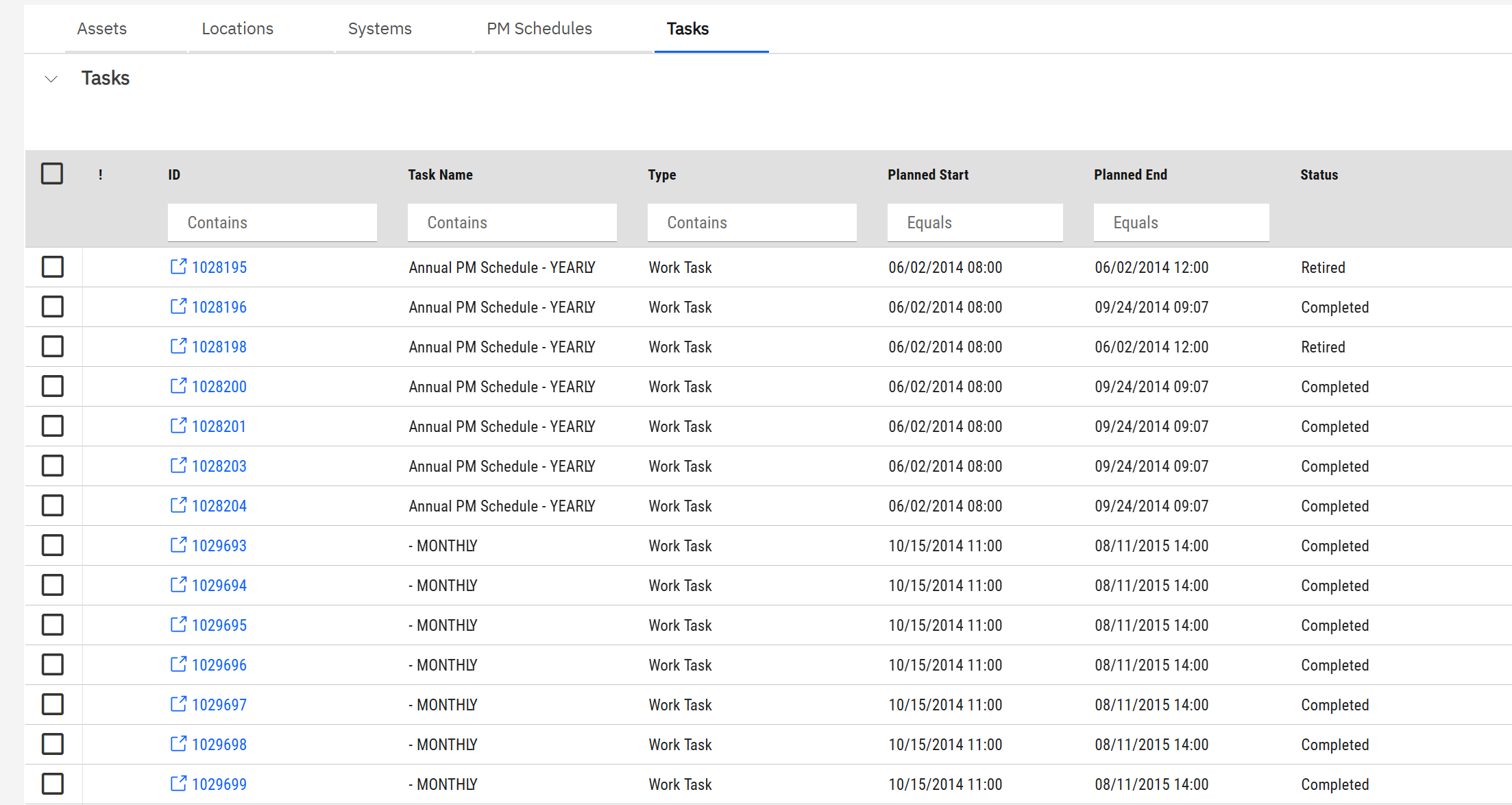
| Tasks | The result: every work task the plan has generated |
One job plan, twelve assets, two active schedules, 168 tasks. In Maximo that would be a PM hierarchy or a route.
7. A preventive task and its procedure
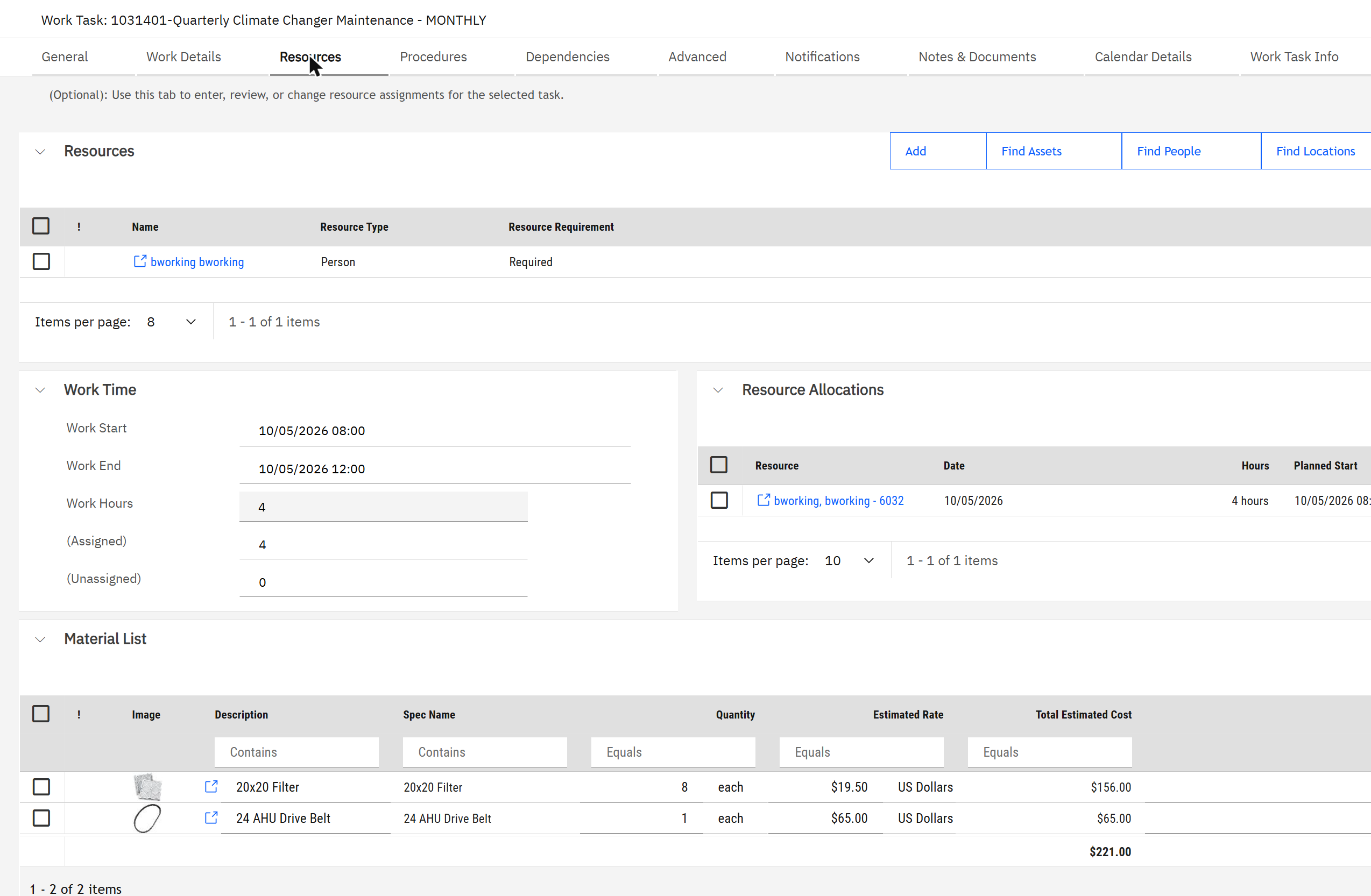
Generated tasks land in Work Planner exactly like Pat's did, and are assigned the same way. I gave Ben one of this week's, task 1031401 "Quarterly Climate Changer Maintenance". Its Resources tab is fuller than a corrective task's:

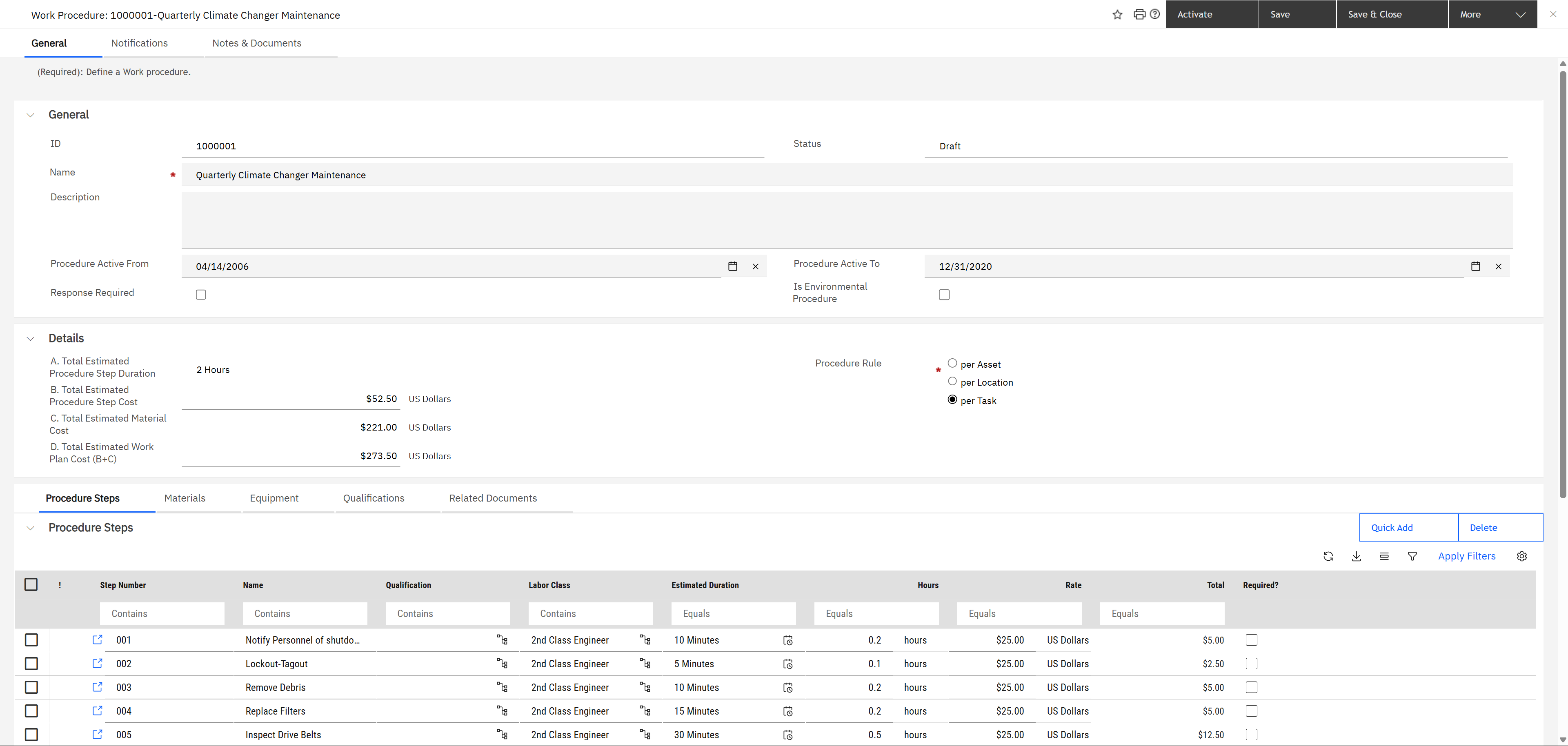

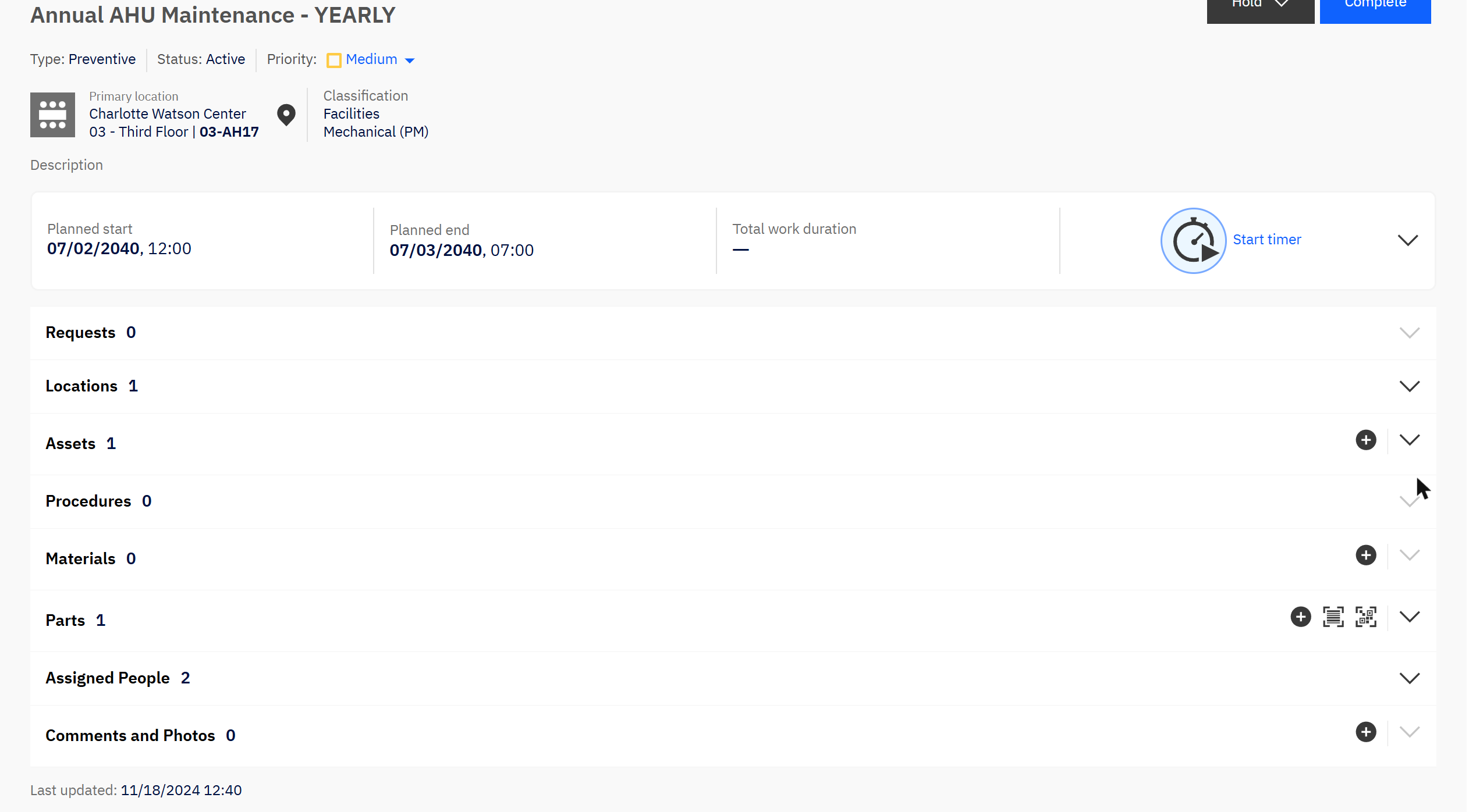
A procedure is the reusable "how". It is what makes a preventive task more than a reminder: the materials and the expected cost arrive with the task. Compare with Pat's corrective task, where Procedures, Materials and Parts all read zero, because nobody knows in advance what a cold room needs.
8. Four differences from Maximo
9. Check yourself
A user reports a broken light. Which object do they create?
A request. The corrective work task is created from it.
Where does the supervisor see a brand-new corrective task?
In Work Planner, under Unassigned, in the workgroup the request type routes to.
How does the supervisor know a technician is overloaded?
From the hours-assigned-of-capacity bar next to each person in Work Planner.
Where do you set how often an air handling unit is serviced?
On a PM schedule inside the job plan that lists the unit.
A preventive task has no steps. Where do you look?
On the task's Procedures tab, then on the procedure: its status, its active dates and its rule.
Captured on a demo system on 4 October 2026, signed in in turn as the requester, the maintenance supervisor and the technician. Records created or changed for this article: request 1000514 and its work task 1037043 (assigned, worked and completed), and the assignment of work task 1031401.